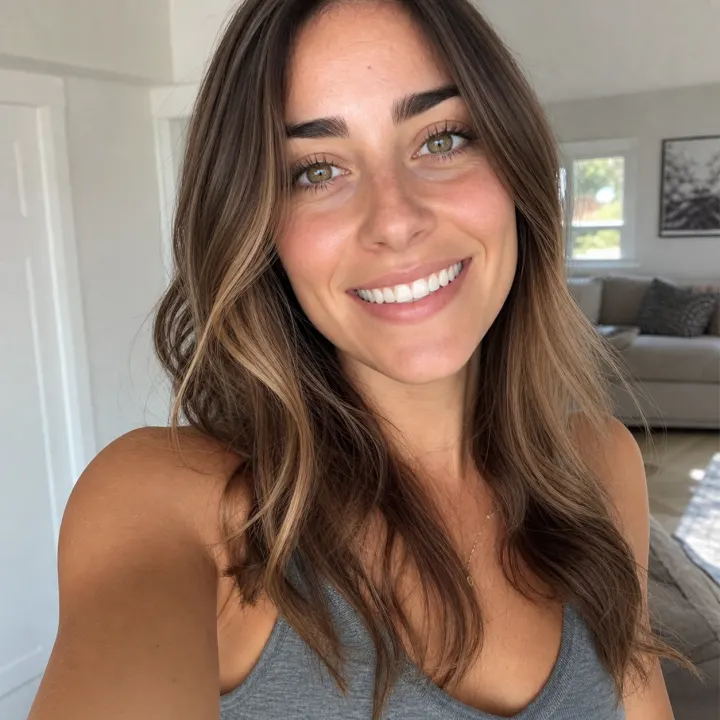
Profile selfie
AI Teeth Whitening can make a casual profile selfie feel cleaner while keeping skin tone, lips, hair, and room lighting unchanged.

Example Gallery
These AI Teeth Whitening examples show the intended finish: brighter visible teeth, preserved facial identity, believable enamel texture, and no visible prompt text.
AI Teeth Whitening can make a casual profile selfie feel cleaner while keeping skin tone, lips, hair, and room lighting unchanged.
AI Teeth Whitening is useful for a headshot when office lighting makes a smile look dull but the portrait already feels strong.
AI Teeth Whitening should handle warm reception light without making teeth look flat, cold, or detached from the scene.
AI Teeth Whitening can improve several smiles in one frame while preserving the candid group-photo mood.
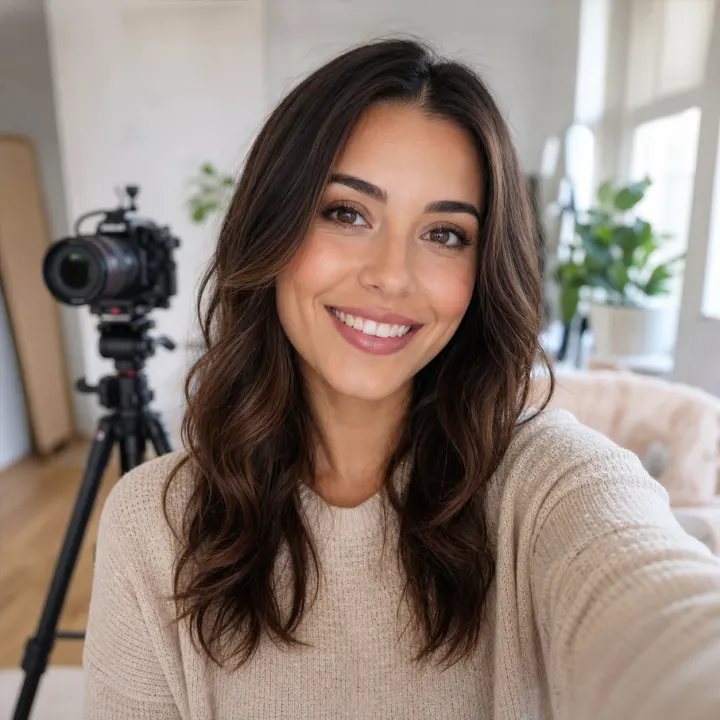
AI Teeth Whitening helps creator thumbnails and bio photos look polished without pushing a beauty-filter look.
AI Teeth Whitening can reduce yellow cast in older or warm-light portraits while keeping the memory natural.
Whiten teeth in photos without turning the smile into a flat white sticker.
AI Teeth Whitening works best when the edit is targeted and restrained. The tool brightens visible teeth, reduces yellow tones, and keeps lips, gums, skin tone, expression, hair, clothing, and background consistent with the uploaded photo. AI Teeth Whitening is a cosmetic photo editing workflow, not dental advice or dental treatment, so the goal is a clean natural image rather than a medical transformation.

AI Teeth Whitening keeps the workflow direct: upload a smile photo, generate a targeted edit, then download the result when the brightness feels natural.
Start AI Teeth Whitening with a portrait where the mouth area is visible and reasonably sharp. A selfie, headshot, couple photo, or group image can work if the teeth are not hidden by blur, shadow, or motion.
AI Teeth Whitening uses a fixed editing instruction under the hood. You do not need to write a prompt or choose a model; the tool focuses on visible teeth and leaves the rest of the face stable.
Compare the result with your source photo. AI Teeth Whitening should look brighter, cleaner, and still believable enough for profile photos, social posts, team pages, dating images, and event albums.
AI Teeth Whitening is guided by practical retouching rules: preserve the person, keep the light, and avoid over-whitening.

AI Teeth Whitening is useful when a photo already works, but the smile looks warmer, duller, or less crisp than it should because of lighting, camera balance, or old image color.
Use AI Teeth Whitening before updating a resume headshot, LinkedIn profile, school bio, founder portrait, or team page.
The edit should brighten the smile while keeping a professional, believable portrait.
AI Teeth Whitening can clean up selfies shot under warm restaurant lights, bathroom mirrors, or low-light phone cameras.
The result should feel like the same casual moment, just with a cleaner smile.
Use AI Teeth Whitening for dating and lifestyle images when you want a brighter smile without looking filtered.
A subtle smile edit is usually more trustworthy than a dramatic beauty-filter change.
AI Teeth Whitening helps selected event portraits look more consistent before sharing albums, prints, or recaps.
Warm reception lights and indoor shadows often make smiles look dull even in strong photos.
AI Teeth Whitening can improve several visible smiles while preserving each person's face and the group-photo energy.
Use a sharp source image so the model can read each smile clearly.
AI Teeth Whitening can make creator thumbnails, channel bios, and website portraits feel more polished.
The tool is most useful when you want a clean smile, not a full face makeover.
AI Teeth Whitening is simple, but source photo quality still matters. These rules help the tool brighten teeth while preserving realism.
AI Teeth Whitening needs enough detail around the mouth area to detect tooth shape, shadows, and boundaries.
AI Teeth Whitening can improve warm color cast, but very dark or blown-out photos leave less detail for natural editing.
AI Teeth Whitening should lift the smile without making teeth look painted or disconnected from the face.
AI Teeth Whitening is a cosmetic image tool for portraits and memories. It does not diagnose stains, replace dental care, or predict real dental outcomes.
“AI Teeth Whitening fixed a warm conference headshot without changing my face. The smile looked cleaner, but the edit did not scream retouching.”
Maya Collins
Product Marketer
These answers explain what AI Teeth Whitening does, what photos work best, and how the tool keeps smile edits natural.
Upload a smile photo, run AI Teeth Whitening, and create a naturally brighter portrait for your next profile update, post, album, or personal project.