Learn how to write a Grok Imagine Image Prompt with subject, lighting, camera, and style for stronger AI image results. Use this Grok Imagine Image Prompt generator to turn a rough idea into a clearer image brief.
Generate Prompt with AI
Learn how to write a Grok Imagine Image Prompt with subject, lighting, camera, and style for stronger AI image results. Use this Grok Imagine Image Prompt generator to turn a rough idea into a clearer image brief.
Grok Imagine Image Prompt Examples
Use each Grok Imagine Image Prompt example as a starting point, then change the subject, scene, camera, and constraints. A strong Grok Imagine Image Prompt should make the visual job obvious before you click Generate.
Prompt:
A modern Japanese tea room with low wooden table, paper screens, single ceramic teapot, warm sunlight casting geometric shadows, calm minimalist architecture photography, natural wood texture, wide 3:2 composition, no people, no clutter, no watermark.
A tiny rabbit postman delivering a glowing letter through a snowy village at night, cozy lit windows, soft watercolor texture, gentle expression, charming vertical storybook composition, warm lantern light, no text, no watermark.
A rustic breakfast table with sourdough toast, soft-boiled eggs, berries, linen napkin, and black coffee, early morning window light, natural crumbs and texture, editorial food photography, warm neutral tones, 4:3 composition, no watermark.
Anime-style girl standing under a transparent umbrella at a rainy crosswalk, city lights reflected in puddles, school uniform, quiet emotional expression, soft pastel neon palette, clean linework, cinematic vertical composition, no text.
A ceramic wall tile with exact text "CREATE DAILY" painted in bold cobalt blue letters, Mediterranean sunlight, small lemon branch shadow across the tile, clean square composition, no extra words, no watermark.
A lone taxi parked outside a closed diner on a desert highway at dusk, pink neon glow, dust in the air, long shadows, cinematic wide frame, 35mm lens, muted Americana color palette, no readable signage, no watermark.
A fashion portrait of a fictional model wearing an oversized ivory wool coat in a narrow concrete alley, soft winter fog, minimal styling, strong vertical posture, muted gray and cream palette, high-fashion editorial photography, 85mm portrait framing, no text.
Why a Grok Imagine Image Prompt Needs a Clear Visual Job
A Grok Imagine Image Prompt works best when it reads like a compact art direction brief, not a pile of style adjectives.
The purpose of a Grok Imagine Image Prompt is to tell Grok exactly what image to make, what the viewer should notice first, and what visual mistakes to avoid. A useful Grok Imagine Image Prompt names the subject, the setting, the lighting, the composition, the medium, and the limits around text or watermarks. When a Grok Imagine Image Prompt is too vague, the model fills the gap with generic details; when a Grok Imagine Image Prompt is too crowded, the image loses hierarchy. This page keeps every Grok Imagine Image Prompt example focused on one job: product, poster, portrait, lifestyle, cinematic still, or social creative.
A Grok Imagine Image Prompt should define one focal subject before adding style.
A Grok Imagine Image Prompt should include camera, framing, and light when realism matters.
A Grok Imagine Image Prompt should include text rules only when the image needs readable words.
Prompt Workflow
How This Grok Imagine Image Prompt Generator Works
The Grok Imagine Image Prompt generator keeps the first step simple: describe the image in your own words, let AI turn it into a stronger Grok Imagine Image Prompt, then reuse the examples when you need a starting point.
1
Describe your idea
Write the image you want in one sentence. A rough subject, mood, or scene is enough for the first Grok Imagine Image Prompt draft.
2
Generate with AI
The prompt generator expands your idea into a Grok Imagine Image Prompt with subject, style, camera, light, and constraints.
3
Copy or reuse
Copy the generated Grok Imagine Image Prompt, or click Use It on an example to quickly remix a proven prompt pattern.
4
Create the image
Paste the Grok Imagine Image Prompt into your Grok Imagine image workflow or your preferred AI image generator.
Prompt Anatomy
What a Strong Grok Imagine Image Prompt Actually Contains
Instead of telling users to be specific, each Grok Imagine Image Prompt pattern below shows exactly which details belong in a prompt for a different visual job.
Product prompt anatomy
A product Grok Imagine Image Prompt starts with the object and material: frosted glass bottle, brushed metal gadget, ceramic cup, matte packaging.
Add the selling context to the Grok Imagine Image Prompt: studio hero shot, ecommerce mockup, launch banner, premium catalog image.
Control reflection and text in the Grok Imagine Image Prompt: clean surface reflection, no extra logos, no readable label unless quoted.
Poster prompt anatomy
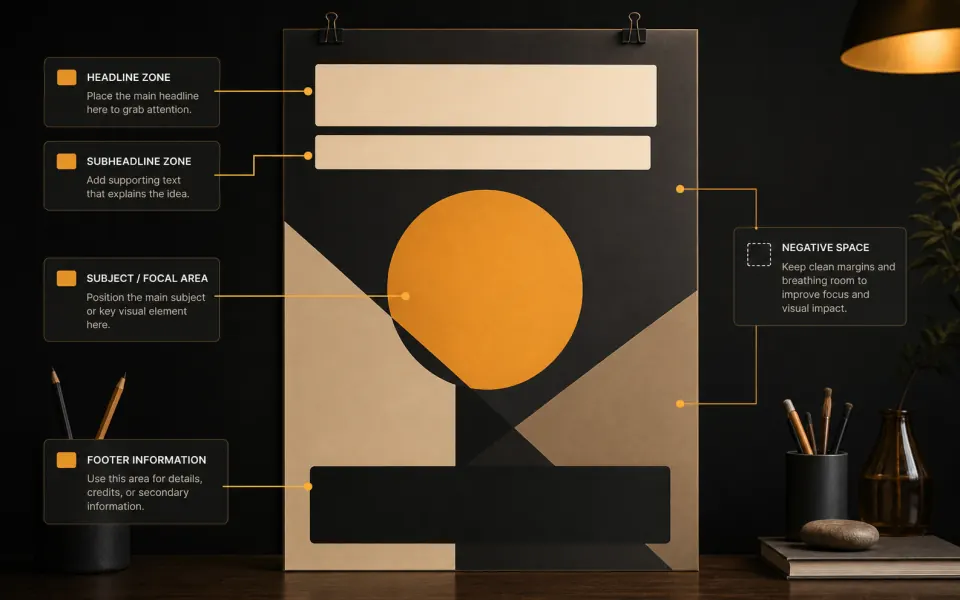
A poster Grok Imagine Image Prompt should name layout zones: headline at top, subject centered, clean footer area, background space for copy.
Quote exact text only when needed in the Grok Imagine Image Prompt: "MIDNIGHT BREW" and no other words.
Remove visual noise in the Grok Imagine Image Prompt: no extra signage, no tiny text, no crowded background.
Portrait prompt anatomy
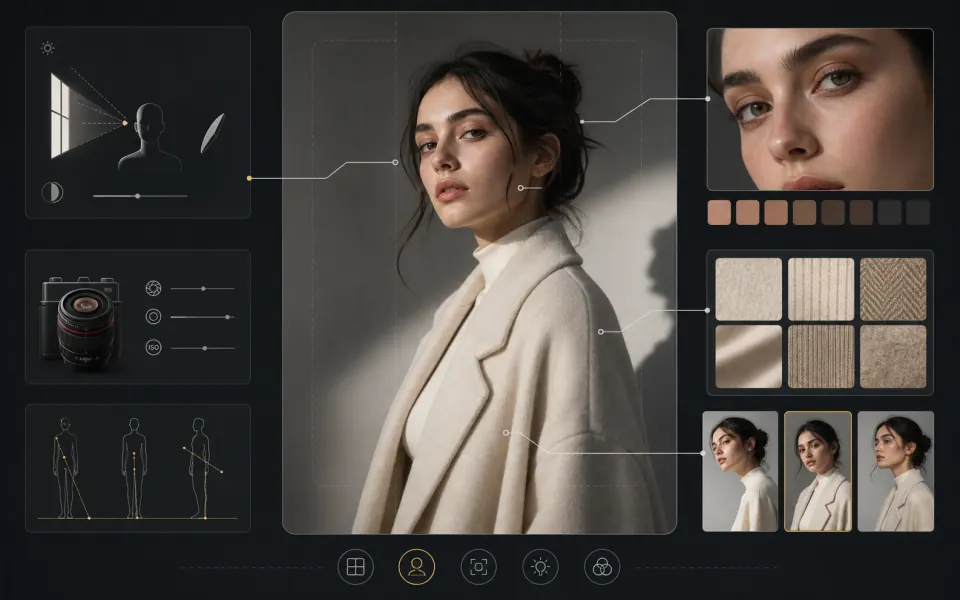
A portrait Grok Imagine Image Prompt describes a fictional subject through styling, expression, pose, wardrobe, and framing.
Use camera and light in the Grok Imagine Image Prompt instead of celebrity references: 85mm portrait, soft side light, natural skin texture.
Add identity-safe limits to the Grok Imagine Image Prompt: no celebrity likeness, no plastic skin, no warped hands.
Use Cases
Where a Grok Imagine Image Prompt Helps Most
Each Grok Imagine Image Prompt card is written as a reusable prompt pattern. Replace the bracketed idea, keep the structure, and the prompt stays practical.
Ad creative concepts
Grok Imagine Image Prompt pattern: [product] in [commercial scene], clear hero composition, [lighting mood], no extra logos, no readable label unless quoted.
Best for quick campaign directions, social tests, launch visuals, and product mood boards.
Creator thumbnails
Grok Imagine Image Prompt pattern: [video idea], one bold focal subject, high contrast, simple crop, blank space for text, no tiny generated words.
Best when the image must read clearly at small size.
Posters and covers
Grok Imagine Image Prompt pattern: [event or product], poster layout, exact text "[WORDS]", no other text, subject centered, clean hierarchy.
Best when you need visual hierarchy more than a busy scene.
Interior and lifestyle
Grok Imagine Image Prompt pattern: [room or table scene], material details, natural light direction, realistic texture, balanced wide composition, no clutter.
Best for mood boards, decor concepts, food scenes, and editorial lifestyle images.
Cinematic stills
Grok Imagine Image Prompt pattern: [single scene moment], visible focal action, weather, architecture, color palette, lens, no plot summary.
Best for concept art where one memorable frame matters.
Best for editorial looks, character styling, and brand mood imagery.
Prompt Repairs
Before / Better Grok Imagine Image Prompt Examples
This replaces generic iteration advice with concrete Grok Imagine Image Prompt rewrites. The goal is to show users what to change, not just tell them to be more specific.
Weak product prompt
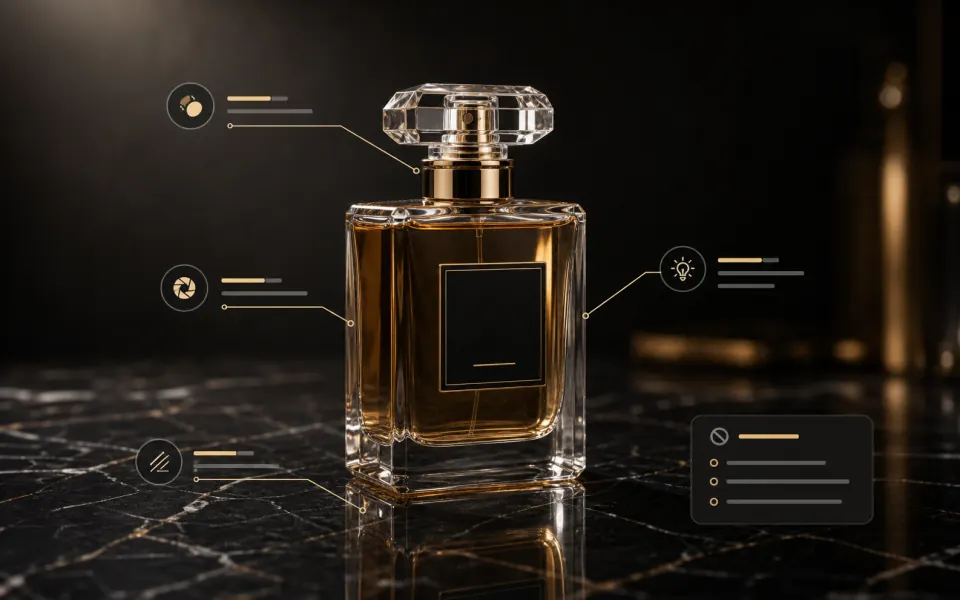
Before: luxury perfume bottle, beautiful lighting, high quality.
Better: luxury perfume bottle on black marble, frosted glass, amber liquid, centered hero shot, warm rim light, sharp reflection, no label text, no watermark.
Why it works: the improved Grok Imagine Image Prompt gives Grok a material, surface, camera priority, and a text rule.
Weak text poster prompt
Before: make a cool poster for my coffee shop with text.
Better: cinematic coffee shop launch poster, chrome espresso machine centered, headline at top with exact text "MIDNIGHT BREW", no other words, clean footer space.
Why it works: the Grok Imagine Image Prompt quotes the text and limits extra words, so the model has fewer chances to invent copy.
Weak busy scene prompt
Before: futuristic city with lots of details, cinematic, amazing, ultra realistic.
Better: one rainy futuristic street corner at night, single food kiosk as focal point, reflective pavement, two distant silhouettes, wide 35mm frame, blue and amber light.
Why it works: the better Grok Imagine Image Prompt chooses one scene moment instead of asking for an entire world.
Weak negative prompt
Before: no bad quality, no ugly, no mistakes, no weird things.
Better: no watermark, no extra logo, no unreadable text, no distorted hands, no clutter behind the subject.
Why it works: a Grok Imagine Image Prompt with concrete visual exclusions is easier to follow than broad quality complaints.
Creator Feedback
Why Creators Use a Grok Imagine Image Prompt Generator Before Opening Grok Imagine
“The Grok Imagine Image Prompt examples are more useful than another long prompt-writing article. I can grab a product shot pattern, change the object, and keep the lighting and text rules.”
Maya Reeves
Content Designer
FAQ
FAQs About Grok Imagine Image Prompt Writing
Short answers for people who want a usable Grok Imagine Image Prompt instead of generic prompt-writing theory.
Build Your Next Grok Imagine Image Prompt
Start with a proven Grok Imagine Image Prompt structure, remix an example, copy the final prompt, and move into image generation with clearer visual direction.