
Seedream 5.0 Pro - AI Image Generator for Dense Design
 Seedream 5.0 Pro
Example Gallery
Seedream 5.0 Pro Example Gallery
Six compact visual directions for Seedream 5.0 Pro style production.
Model Overview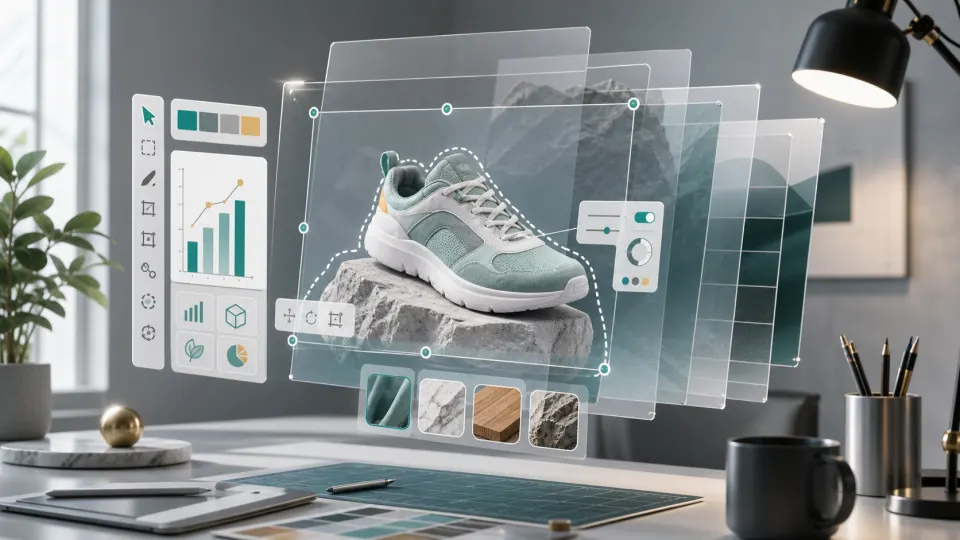
What Makes Seedream 5.0 Pro Different
Dense layouts, cleaner edits, and production-ready image structure.
Seedream 5.0 Pro is built for structured visual work: infographics, product boards, localized posters, precise edits, and realistic production images. Use this page to generate with the Pro model directly and compare it with the wider Seedream family.
Dense charts and structured layouts.
Precise edits and layer control.
Multilingual design workflows.
How to Use It
Start a Seedream 5.0 Pro Style Workflow
Seedream 5.0 Pro rewards a clear production brief. Use the generator above to test Seedream series behavior, then structure prompts around the same professional jobs Seedream 5.0 Pro was released to handle.
1
Define the visual job first
Before writing a Seedream 5.0 Pro prompt, decide whether the image is an infographic, product hero, localized poster, character sheet, UI concept, or photo-real editorial scene. Seedream 5.0 Pro works best when the prompt describes the output format and the reason the layout exists.
2
Describe the hierarchy and regions
For a Seedream 5.0 Pro information image, name the main panel, supporting modules, charts, thumbnails, callouts, and spacing rules. For a Seedream 5.0 Pro editing workflow, describe the target region and the parts that must stay unchanged.
3
Generate, review, and refine
Use Seedream 5.0 Lite or Seedream 4.5 in the generator to draft the idea, then refine with Seedream 5.0 Pro style instructions: stronger structure, better material realism, controlled text, and cleaner layer separation.
Core Capabilities
Where Seedream 5.0 Pro Raises the Bar
Seedream 5.0 Pro is strongest when the image needs organized information, controlled changes, and polished production texture.
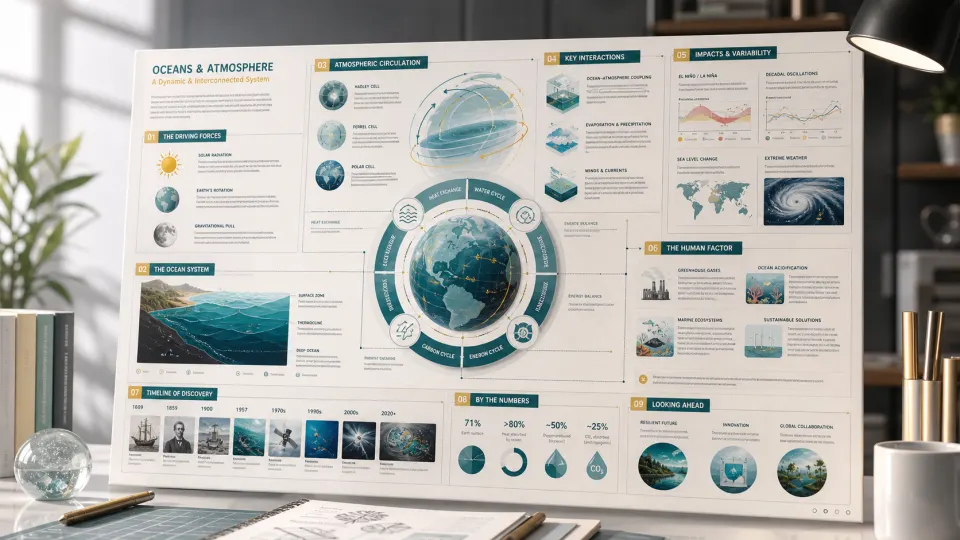
High-density infographics
- Build posters, explainers, data boards, product pages, and chart-heavy campaign visuals without losing the reading order.
- Prompt Seedream 5.0 Pro with the section hierarchy, chart types, label zones, spacing rules, and audience.
- Use it when the output must look designed, not like a random collage of facts.
Interactive precision editing
- Describe the exact region to change, then lock the parts that should stay untouched: face, product shape, camera angle, shadow, or background.
- Use sketches, selections, and layer-aware instructions when a generated image needs design-ready parts instead of one flat bitmap.
- This is the Seedream 5.0 Pro workflow for product revisions, material swaps, localized layouts, and campaign variants.
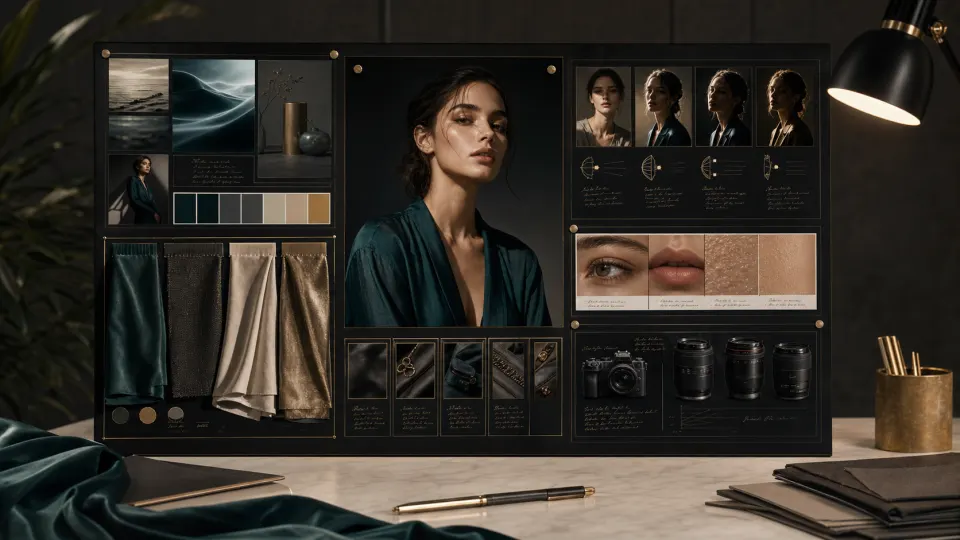
Realistic image texture
- Push product surfaces, fabric, skin, reflections, lens feel, and studio light toward a final campaign-grade finish.
- Prompt Seedream 5.0 Pro with material finish, light direction, camera style, environment, and the details that must remain consistent.
- Use it for premium product scenes, editorial portraits, fashion boards, technical objects, and cinematic stills.
Use Cases
Best Uses for Seedream 5.0 Pro
Seedream 5.0 Pro is strongest when the image has a real production purpose. Use Seedream 5.0 Pro for briefs where structure, information density, edits, and localized presentation matter as much as style.
Education explainers
Seedream 5.0 Pro can support classroom posters, science diagrams, study cards, and visual lessons that need clear hierarchy and careful text placement.
Ask Seedream 5.0 Pro for section order, chart modules, visual examples, and simple labels instead of a vague educational style.
Ecommerce product pages
Seedream 5.0 Pro fits product detail imagery, feature comparison boards, hero banners, packaging visuals, and campaign concepts.
Seedream 5.0 Pro prompts should lock product geometry, material finish, lighting, and supporting benefit panels.
Localized campaigns
Seedream 5.0 Pro is designed for multilingual prompts and native text rendering across global markets, including right-to-left language workflows.
For Seedream 5.0 Pro localization, state the target language, reading direction, typography mood, and exact text requirements.
Design boards
Seedream 5.0 Pro can help teams compose mood boards, material studies, reference panels, visual systems, and production-ready layout drafts.
Ask Seedream 5.0 Pro to separate hero imagery, texture panels, color swatches, and annotation zones.
Portrait and fashion work
Seedream 5.0 Pro improves realistic skin, fabric, light, and environment, making it useful for editorial portraits and fashion direction.
Seedream 5.0 Pro prompts should preserve identity constraints and describe fabric texture, pose, camera, and light quality.
Technical concepts
Seedream 5.0 Pro is suitable for blueprint-style visuals, product anatomy, architectural scenes, process flows, and structured diagrams.
For Seedream 5.0 Pro technical images, specify viewpoints, exploded parts, measurements, material callouts, and clean spacing.
Seedream Series
Seedream 5.0 Pro in the Seedream Family
The generator on this page exposes Seedream 5.0 Pro by default, while still keeping Seedream 5.0 Lite and Seedream 4.5 available for quick family comparisons.
Seedream 5.0 Pro
Seedream 5.0 Pro is the professional release focused on high-density infographics, interactive precision editing, layer separation, realistic image texture, and native multilingual generation.
Use this Seedream 5.0 Pro page to generate production briefs directly with the Pro text-to-image and image-to-image model.
Seedream 5.0 Lite
Seedream 5.0 Lite remains available in the generator for lightweight Seedream family comparison and everyday creation.
Switch here when you want a lighter Seedream 5.0 option for fast drafting.
Seedream 4.5
Seedream 4.5 remains useful for reference-preserving edits, multi-image consistency, typography-heavy posters, and high-fidelity commercial visuals.
Choose Seedream 4.5 when reference image consistency is more important than the new Seedream 5.0 Pro production features.
FAQ
FAQs About Seedream 5.0 Pro
These answers summarize what Seedream 5.0 Pro is, how the page generator works, and how to write better Seedream 5.0 Pro prompts.
Try a **Seedream 5.0 Pro** Style Prompt
Use the Seedream series generator above to draft dense layouts, product boards, localized posters, technical explainers, and realistic image concepts inspired by Seedream 5.0 Pro.